Organize your repositories
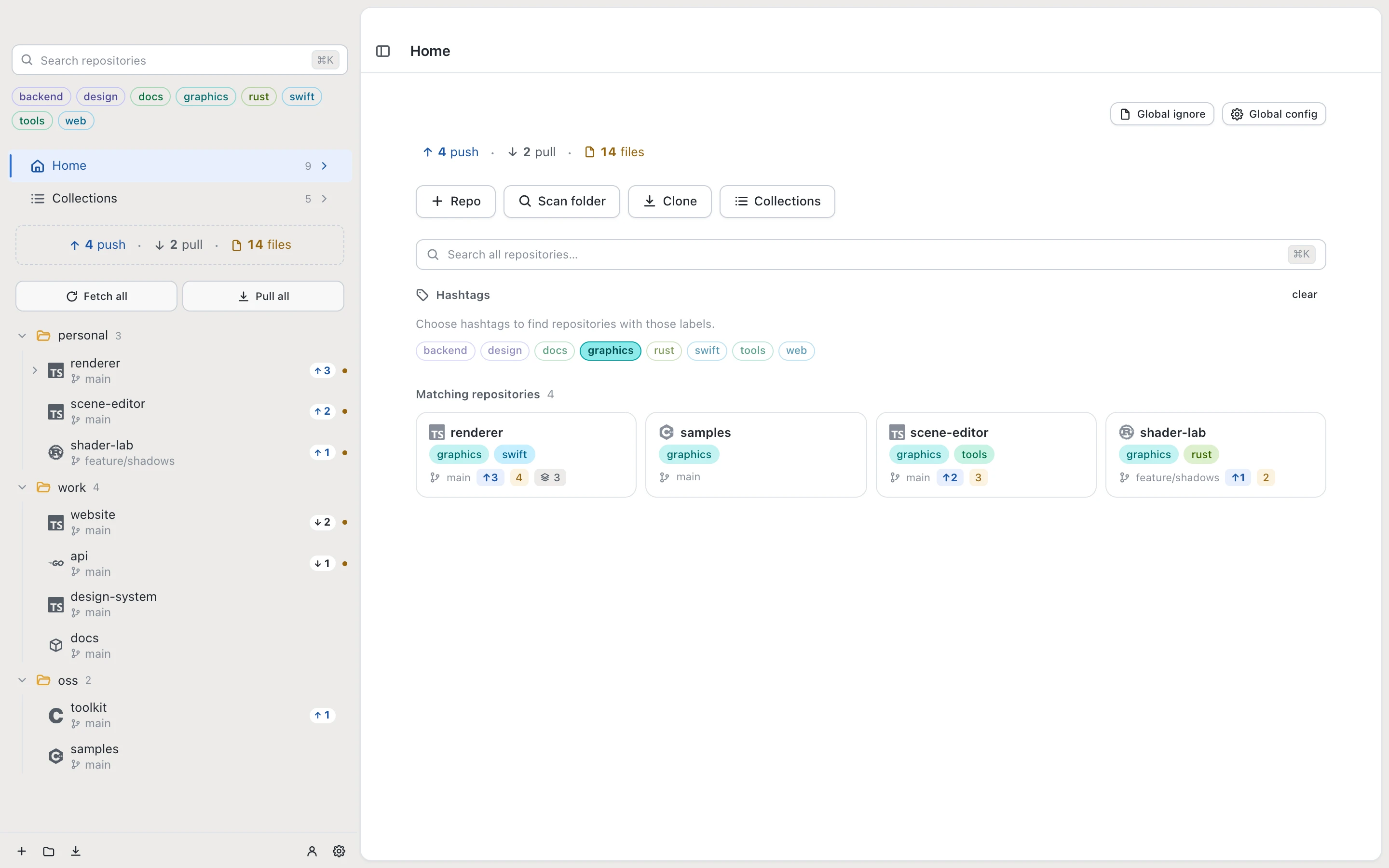
Scan a folder to find existing repositories. Group them in nested folders, add colorful hashtags, and pin frequently used projects. Search the whole workspace.
Folders · Hashtags · Quick switching
 Desk for Git
Get Desk for Git
GIT DESKTOP FOR MAC, WINDOWS & LINUX
All your Git tools, starting with one free repository.
Review, commit, search and push with no time limit.
 macOS
 Windows
 Linux
Free for 1 repository · No time limit · x64 & ARM64

GitHub, GitLab, Bitbucket, Gitea and your own Git servers. All in one place.
Scan a folder to find existing repositories. Group them in nested folders, add colorful hashtags, and pin frequently used projects. Search the whole workspace.
Folders · Hashtags · Quick switching
Read diffs, stage individual lines, and resolve conflicts with both sides in view. Work with branches and worktrees from the same repository.
Line staging · Conflicts · Worktrees
Search commit titles and descriptions across every branch. Filter by author or date and inspect the matching files and diff. Stashes from Desk for Git and Terminal stay accessible too.
Commit search · Branch history · Stash diffs
Expand submodules directly in the sidebar. Inspect their status, download missing ones and update them to the commits recorded by the parent project.
Expandable sidebar · Status · Updates
Clone full history, fetch file contents on demand, or start with only the latest commit. Download submodules during cloning or when you need them.
Full · Partial · Latest only · Optional submodules
Filter by pending push, pull or changed files. Fetch, pull or push ready repositories together, across the workspace or inside a folder. See what finished and what needs attention.
Push all · Pull all · Status filters
Browse GitHub Actions, GitLab CI/CD and Bitbucket Pipelines runs and job results. Filter by workflow, branch or status, choose runs for completion notifications, and open GitHub commit checks from History.
Workflow runs · Job results · GitHub checks
Follow a file across renames and inspect each revision. Search its history, filter by author or date, and open the commit that last changed a line. View or save the whole historical file.
Rename tracking · Revision diffs · Last change
See commit activity, contributors and where changes happened. Drag across the chart to select dates, explore files and folders, and filter History by an author.
Commit activity · Contributors · Files & folders
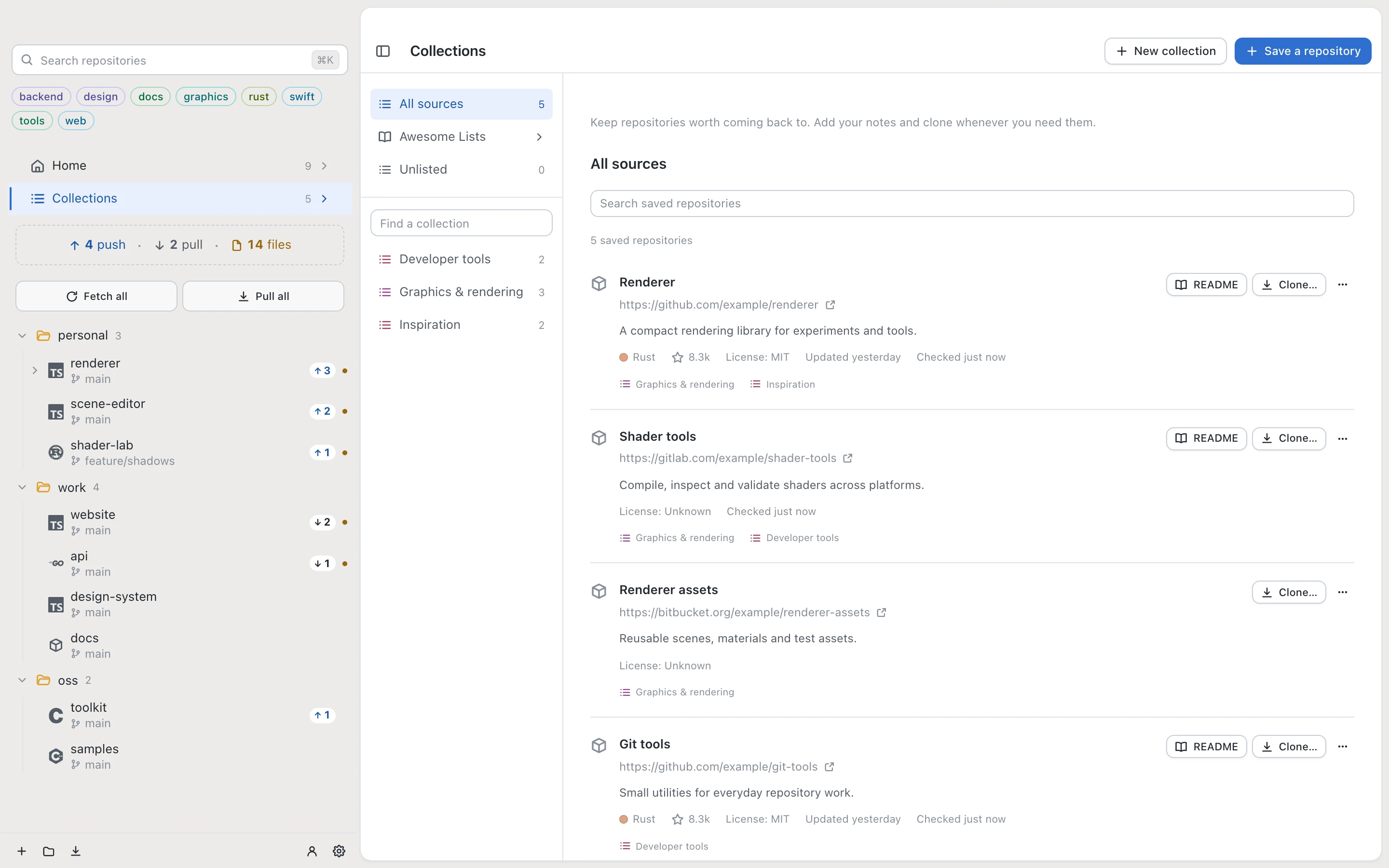
Save repositories into Collections, add notes, and browse Awesome Lists. Read a repository’s README before cloning it.
Desk for Git has 14 light background colors and a dark theme.
Select a color to preview it.

SIDECAR Beta
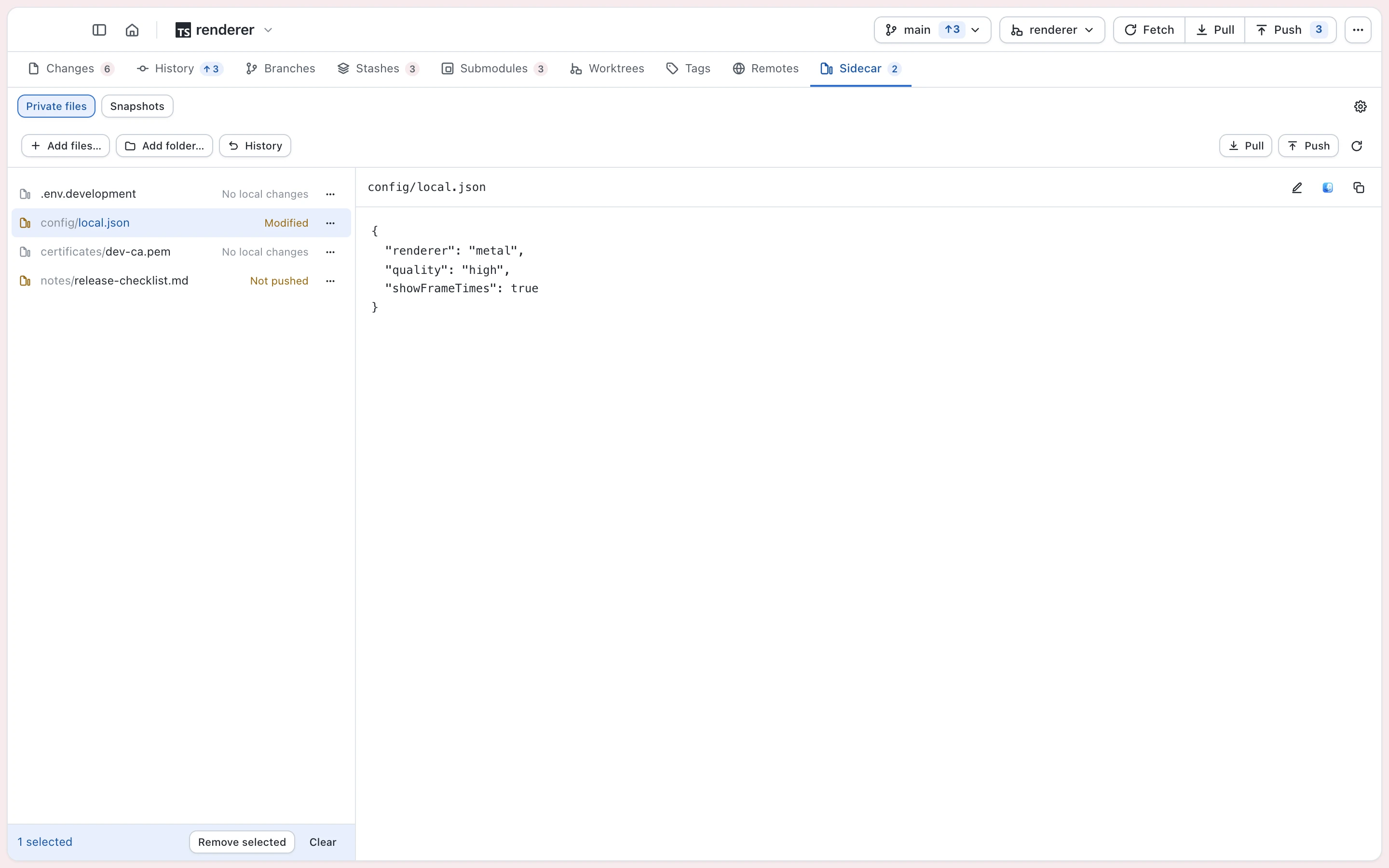
Keep local notes, configuration and other selected files outside Git. Sidecar encrypts file contents and private filenames before syncing them to your configured server.
Optional. Access and storage are separately provisioned and aren’t included with a Desk for Git purchase.
Use every Git feature in one repository. Unlock Pro when your workspace grows.
1 repository
No time limit
Unlimited repositories
Managed with your Agenthings ID
Use Pro on up to 2 computers. Manage licenses and computers in your Agenthings account.
Agenthings ID manages direct access and downloads. App Store purchases are a separate channel.
Your available installers, release notes, license keys and computers are together in your Agenthings account.
Open repositories already on your computer and keep the same history and Git remotes. Desk for Git also shows stashes created in the terminal, so existing work stays accessible from the app.
Yes. Choose Add repository to open an existing local Git repository, or Scan folder to find several at once. Desk for Git uses the same repository folders, commit history, branches and remotes. You can then organize them with Desk for Git’s sidebar folders and tags without cloning them again.
Desk for Git supports macOS, Windows and Linux, with packages for Intel / AMD x64 and ARM64. macOS requires version 13 or later. Choose your operating system and processor from the free downloads above.
Choose Latest only when cloning to start with a shallow, single-branch clone. The optional Keep shallow clones trimmed setting reduces its history again after a successful pull from that repository’s view. New pulls still advance the branch; the clone is not frozen at one commit. You can download full history later. This automatic trimming does not run during Pull all.
Desk for Git uses Git installed on your computer. On Mac, install Apple Command Line Tools or Xcode. The App Store edition asks you to select folders it may access; additional tools, hooks or SSH keys can require their own setup and folder access.
Free includes all Git features in one repository and one connected hosting account, with no time limit. Pro unlocks unlimited repositories and accounts, Collections, iCloud workspace sync on Mac and operations across repositories. Pro+ includes the same features on five active computers instead of two. Both are one-time purchases, with no subscription. You can deactivate an old computer to make room for a replacement.
Local repository work stays on your computer. Fetch, pull and push connect to the Git hosts you choose. Optional Sidecar sync sends encrypted files to its configured server; optional iCloud sync shares workspace organization when available. Desk for Git includes no advertising or analytics SDK. See our Privacy Policy for details.